
Free Pokemon Card Price Checker
Check Any Pokemon Card Price Instantly
Search 20,000 plus cards. See real eBay sold prices, raw and graded, updated daily. No signup required, no listed-price guesswork, no paywalls on the lookup itself.
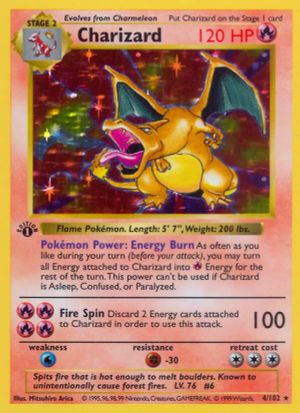
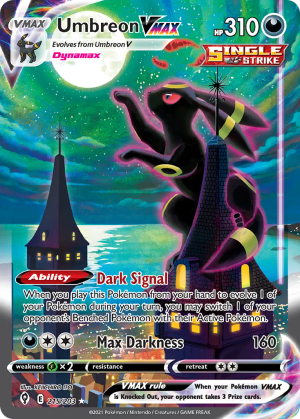
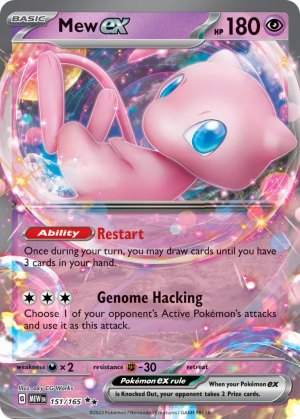
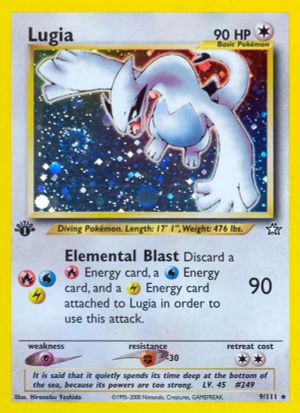
Popular Pokemon Card Lookups
Click any card for the full price breakdown.
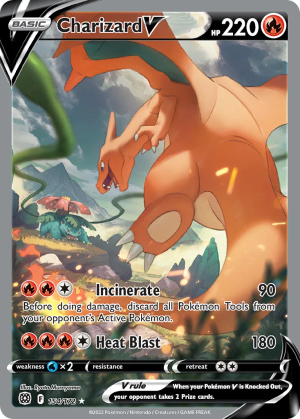
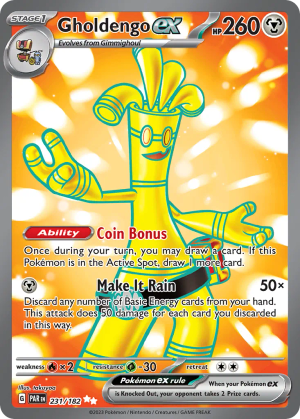
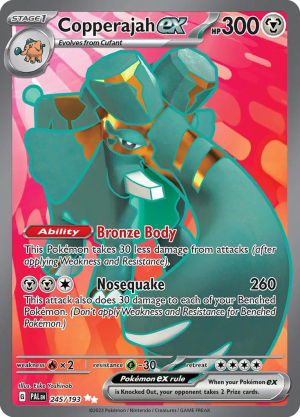
How to Check a Pokemon Card Price
The whole flow takes under a minute once you know what to look for. Here is the exact process collectors use to price a card accurately.
- 1
Find the card details
Look at your card and write down three things: the Pokemon name, the set symbol or set name, and the card number in the bottom corner. This takes about ten seconds and saves you from pricing the wrong printing.
- 2
Search the name in the box above
Type the Pokemon name. Results appear within a fraction of a second. If you get too many matches, add the set name (for example Charizard Evolving Skies) to narrow it down.
- 3
Match set and number
Pick the result whose set symbol and card number match your physical card. The thumbnail on the result row uses the official artwork so you can sanity check visually.
- 4
Open the card page
Click the result to land on the card detail page. You will see the most recent sold price, a 30 day average, a price history chart, and last five sales broken out by condition and grade.
- 5
Pick the right price band
If your card is raw, look at the raw row. If it is graded, look at the row that matches your grader and grade (PSA 10, CGC 9.5, BGS 9, and so on). This is the price most relevant to what you actually own.
Anatomy of a Pokemon Card
To price a card accurately you need to be sure you are looking at the right printing. Six markings on every Pokemon card tell you exactly what you have.
Set symbol
Bottom right (or under the illustration on vintage cards). Tiny icon that tells you which expansion the card belongs to.
Card number
Bottom right, formatted X/Y (modern) or just X (vintage promos). The Y is the total cards in the set. X higher than Y means secret rare.
Rarity symbol
A small circle (common), diamond (uncommon), star (rare), or one of several special icons (ex, full art, illustration rare, special illustration rare).
Edition mark
Left side of the artwork on vintage cards. 1st Edition (most valuable) shows a small black 1st Edition stamp. Unlimited (more common) shows nothing.
Foil pattern
Hold the card under a light. Holo cards have a foil pattern on the artwork. Reverse holos shimmer on the card background instead. Cosmos, galaxy, and crosshatch holos all command different prices.
Language
English, Japanese, German, French, and Korean prints all trade separately. Japanese No-Rarity Base Set in particular is one of the most valuable card categories on the market.
Common Mistakes People Make
Most bad price reads come from one of these four mistakes. Avoid them and your valuations will line up with what cards actually sell for.
Confusing similar artwork across sets
Pokemon Company reprints chase artwork constantly. A 2024 Charizard ex from Obsidian Flames and a 2002 Expedition Charizard are different cards with very different values. Always match the set symbol and the card number, not just the picture.
Trusting the listed price instead of sold price
Anyone can list a card for one thousand dollars. That does not mean anyone bought it. Listed prices on eBay and TCGplayer are often two to ten times the actual sold price. PokeMiner only shows what cards have actually sold for.
Ignoring condition when looking up value
A near-mint copy and a played copy of the exact same card can have a 5x price gap. When you see a single price on a price checker, that is usually the near-mint average. If your card has whitening on the edges, surface scratches, or a soft corner the realistic sale price is well below that number.
Pricing a raw card off PSA 10 sales
Sellers love to do this. They see a PSA 10 sell for five hundred and list a raw copy for four hundred. Reality is a raw copy of that same card might only sell for forty. Always look at the raw average, not the graded average, when pricing a card that has not been graded.
Mobile Lookups and Bulk Pricing
PokeMiner is mobile first. The search box and card pages are designed to work with one thumb so you can price cards at a card show, in a friend's collection, or in line at the post office before shipping.
For bulk pricing (pricing dozens or hundreds of cards at once) the free flow is to create an account and add cards to a collection. Your collection auto-calculates total value at near-mint averages, updates every day, and lets you export to CSV. This is faster than searching each card one at a time and gives you a single portfolio number instead of dozens of individual prices.
Power users on the Premium plan get one-tap live rescrapes (pull the latest sold data directly without waiting for the daily refresh) and price alerts when any card in their collection moves more than a set threshold.
Raw vs Graded: Why the Tool Shows Both
Every card page shows two distinct sets of prices, and it is important to understand which one applies to you.
Raw price
The sold-price average for ungraded copies in roughly near-mint condition. This is what your card is worth if you sell it as is, without sending it to PSA, CGC, or BGS. Most casual sales fall in this band.
Graded price
Sold-price averages for cards that have been authenticated and slabbed by a grading company. Broken out by grade (PSA 10, PSA 9, CGC 10, BGS 9.5, and so on). A PSA 10 of a modern chase card often sells for 5 to 20 times the raw price.
The decision of whether to grade a card is straightforward arithmetic. If raw price plus grading cost is meaningfully less than the PSA 10 price, and your card looks gem-mint, grading is worth considering. If the gap is small, keep it raw.
Frequently Asked Questions
- How do I use the Pokemon card price checker?
- Type the card name into the search box at the top of this page. Results appear as you type. Click any result to open the full card page with raw and graded sold-price breakdowns, last five sales, and a price history chart. You do not need an account to look up prices.
- Is the Pokemon card price checker free?
- Yes. Looking up any card and viewing its current market price is completely free with no signup required. A free PokeMiner account lets you save cards to your collection and watch portfolio value over time. Premium adds price alerts, full price history, and unlimited live scrapes.
- What information do I need to look up a card?
- The card name is usually enough to get started. If the name is common like Pikachu or Charizard, narrow it down with the set name or card number (printed in the bottom corner, for example 4/102). Knowing the set symbol and number is the fastest way to land on the exact card you own.
- Why do I see multiple results for the same Pokemon?
- Most popular Pokemon have been printed dozens of times across different sets and rarities. A Charizard from Base Set is a completely different card than a Charizard from Evolving Skies, even though the artwork is similar. Match the set symbol and card number on your card to the result to make sure you are pricing the right one.
- How do I identify which Pokemon card set I have?
- Look at the bottom right of the card. Modern cards show a small set symbol next to the card number (for example 4/198). Vintage cards (1999 to 2003) often have the set name printed there directly or use a unique symbol for sets like Jungle, Fossil, and Neo Genesis. The four most common vintage symbols collectors learn first are Base Set (no symbol), Jungle (a leaf), Fossil (a fossil), and Team Rocket (a black R).
- Where is the card number printed on a Pokemon card?
- On modern Pokemon cards the number appears in the bottom right corner in the format 4/198, meaning card 4 out of 198 in the set. Secret rares show numbers higher than the printed set total (for example 199/198). Japanese cards put the number in the bottom left and use the format 004/095. Promo cards typically show a number like SWSH001 or SVP-001 instead of a fraction.
- Why does the price checker show different prices for the same card?
- A single card has different prices depending on condition and grade. A raw Charizard might sell for one hundred dollars while a PSA 10 of the exact same card sells for two thousand. The card page breaks this down into raw average, PSA 9, PSA 10, CGC 10, and BGS 9.5 so you can match the price to what you actually own.
- Can I check Japanese Pokemon card prices?
- Yes. PokeMiner tracks Japanese sets including the original Base Set No-Rarity prints, Pokemon Card 151, Snow Hazard, Clay Burst, and modern Scarlet and Violet Japanese releases. Search by the English translation of the set name or by card name and PokeMiner will surface both English and Japanese matches.
- What does it mean when a card has no price data?
- Some cards have very low sales volume. If a card has not sold on eBay in the last 90 days PokeMiner will show that there is insufficient data instead of inventing a number from stale listings. For deep cuts you can trigger a live rescrape on the card page to pull the latest activity directly.
- Can I look up sealed Pokemon products?
- PokeMiner currently focuses on singles. For sealed product pricing (booster boxes, ETBs, collection boxes) the best free sources are eBay sold listings filtered to sealed condition and TCGplayer Direct. We are evaluating adding sealed coverage based on Premium user requests.
- Why is my card not showing up in search?
- Three common reasons. First, try searching by the Pokemon name only instead of the full card title. Second, very recent releases (under 14 days old) may not be indexed yet. Third, some promo cards are listed under their distribution name rather than just the Pokemon (for example Pikachu with Grey Felt Hat is listed as Van Gogh Pikachu). If you still cannot find it, send the set name and card number to support and we will add it.
- Should I trust the price checker before buying or selling?
- PokeMiner shows the actual sold-price history so you can decide for yourself. Before any meaningful transaction look at last five sales (not just the average) to spot outliers, check whether prices are trending up or down on the chart, and confirm condition matches what you own or what is listed. The checker is a starting point, not a substitute for inspecting the card itself.
Last updated September 5, 2026 · Prices refresh daily from eBay sold listings
Track Your Whole Collection Free
Add cards once and watch your portfolio value update automatically every day. Free forever, no credit card, full collection tracking from the first card.